In recent years, the landscape of education has undergone a significant transformation, particularly with the rise of online classes. The demand for accessible and affordable technology has surged, leading to an increased interest in budget tablets. These devices serve as a bridge for students who require reliable tools for learning without the financial burden of high-end models.
Budget tablets are designed to provide essential functionalities such as video conferencing, note-taking, and access to educational resources, making them an attractive option for students of all ages. The appeal of budget tablets lies not only in their price but also in their versatility. They can be used for a variety of tasks beyond online classes, including reading e-books, browsing the internet, and even light gaming.
As educational institutions continue to embrace digital learning environments, the importance of having a dependable tablet cannot be overstated. This article will explore the criteria for selecting budget tablets, highlight some of the best options available, and provide insights into maximizing their use for online education.
Criteria for Selecting Budget Tablets
When selecting a budget tablet for online classes, several key criteria should be considered to ensure that the device meets the specific needs of students. First and foremost is performance. A tablet should have a capable processor and sufficient RAM to handle multitasking efficiently.
For instance, running video conferencing software while simultaneously accessing course materials requires a device that can manage these tasks without lagging or crashing. Another critical factor is display quality. A clear and vibrant screen enhances the learning experience, especially during long hours of study or when participating in virtual classes.
A minimum resolution of 1280 x 800 pixels is generally recommended for comfortable viewing. Additionally, battery life plays a vital role; students need a tablet that can last through extended study sessions without frequent recharging. Ideally, a budget tablet should offer at least 8 hours of battery life to accommodate a full day of classes and assignments.
Storage capacity is also an essential consideration. While many budget tablets come with limited internal storage, the ability to expand storage via microSD cards can be a game-changer. This feature allows students to store more applications, documents, and multimedia files without worrying about running out of space.
Lastly, connectivity options such as Wi-Fi and Bluetooth are crucial for seamless access to online resources and collaboration with peers.
Top 5 Budget Tablets for Online Classes
1. **Amazon Fire HD 10**: The Amazon Fire HD 10 is often regarded as one of the best budget tablets available. With a 10.1-inch Full HD display and a powerful octa-core processor, it provides a smooth user experience for online classes.
The tablet comes with Alexa built-in, allowing students to use voice commands for hands-free operation. With up to 12 hours of battery life and expandable storage options, it is well-suited for educational purposes. 2.
**Samsung Galaxy Tab A7 Lite**: This tablet strikes an excellent balance between performance and affordability. The Galaxy Tab A7 Lite features an 8.7-inch display and is powered by an octa-core processor, making it capable of handling various educational applications. Its lightweight design makes it easy to carry around, and with up to 13 hours of battery life, students can attend classes without worrying about charging frequently.
3. **Lenovo Tab M10 Plus**: The Lenovo Tab M10 Plus offers a 10.3-inch Full HD display and impressive audio quality with dual speakers, making it ideal for video lectures and presentations. It is equipped with a MediaTek Helio P22T processor and up to 4GB of RAM, ensuring smooth performance during multitasking.
The tablet also supports Google Assistant, enhancing its usability for educational tasks. 4. **Apple iPad (9th Generation)**: While slightly higher in price compared to other budget options, the standard iPad remains a popular choice due to its robust ecosystem and performance capabilities.
The 9th generation iPad features a 10.2-inch Retina display and is powered by the A13 Bionic chip, which provides exceptional speed and efficiency. With access to a wide range of educational apps through the App Store, it is an excellent investment for serious students. 5.
**Huawei MatePad T10**: The Huawei MatePad T10 is another commendable option in the budget category. It features a 9.7-inch display and is powered by an octa-core processor that ensures smooth operation for online classes. The tablet also includes Huawei’s AppGallery, providing access to various educational applications.
With its sleek design and decent battery life, it is an attractive choice for students on a budget.
Features and Specifications Comparison
When comparing budget tablets for online classes, several features and specifications stand out as critical differentiators among the top contenders. The Amazon Fire HD 10 boasts a 10.1-inch Full HD display with a resolution of 1920 x 1200 pixels, which provides sharp visuals for video content and reading materials. It comes with options for 32GB or 64GB of internal storage, expandable via microSD up to 1TB.
In contrast, the Samsung Galaxy Tab A7 Lite features an 8.7-inch display with a resolution of 1340 x 800 pixels, which is adequate for most educational tasks but may not be as vibrant as the Fire HD 10’s screen. It offers 32GB of internal storage with microSD expansion capabilities up to 1TB as well. The Lenovo Tab M10 Plus stands out with its dual speakers that enhance audio quality during lectures or multimedia presentations.
It has a similar display size of 10.3 inches but offers a resolution of 1920 x 1200 pixels, ensuring clarity in visuals. The internal storage options are also competitive at 32GB or 64GB with microSD support. The Apple iPad (9th Generation) features a larger ecosystem with access to numerous educational apps that are optimized for its hardware.
Its Retina display measures 10.2 inches with a resolution of 2160 x 1620 pixels, providing superior image quality compared to many budget alternatives. It offers storage options starting from 64GB up to 256GB without expandable memory. Lastly, the Huawei MatePad T10 has a slightly smaller display at 9.7 inches but still delivers decent performance with its octa-core processor.
It offers internal storage options of 32GB or 64GB with microSD expansion up to 512GB.
User Reviews and Ratings
| Tablet Model | Screen Size | Processor | RAM | Storage | Battery Life | Operating System | Price Range | Key Features |
|---|---|---|---|---|---|---|---|---|
| Amazon Fire HD 10 | 10.1 inches | Octa-core 2.0 GHz | 3 GB | 32/64 GB | Up to 12 hours | Fire OS | Low | Good battery, Alexa hands-free, kid-friendly options |
| Samsung Galaxy Tab A7 | 10.4 inches | Octa-core 2.0 GHz | 3 GB | 32/64 GB | Up to 13 hours | Android | Low-Mid | Good display, Dolby Atmos speakers, expandable storage |
| Lenovo Tab M10 Plus | 10.3 inches | Octa-core 2.3 GHz | 4 GB | 64 GB | Up to 9 hours | Android | Mid | Metal body, Kids mode, decent performance |
| Apple iPad (9th Gen) | 10.2 inches | A13 Bionic chip | 3 GB | 64/256 GB | Up to 10 hours | iPadOS | Mid-High | Excellent performance, Apple Pencil support, Retina display |
| Microsoft Surface Go 3 | 10.5 inches | Intel Pentium Gold / Core i3 | 4/8 GB | 64/128 GB SSD | Up to 10 hours | Windows 11 | High | Full Windows OS, keyboard support, versatile for work and study |
User reviews play an essential role in understanding how well budget tablets perform in real-world scenarios, particularly in an educational context. The Amazon Fire HD 10 has received positive feedback for its affordability and functionality; users appreciate its seamless integration with Amazon services and its ability to handle video calls effectively during online classes. The Samsung Galaxy Tab A7 Lite has garnered praise for its lightweight design and long battery life, making it ideal for students who need portability without sacrificing performance.
Users have noted that while it may not have the highest resolution display compared to competitors, it still provides adequate quality for most educational needs. The Lenovo Tab M10 Plus has been well-received for its audio capabilities; many users highlight the dual speakers as a significant advantage during video lectures or group discussions. However, some reviews mention that its camera quality could be improved for better video conferencing experiences.
The Apple iPad (9th Generation) consistently receives high ratings due to its robust performance and extensive app ecosystem. Users often cite its reliability during online classes and the ease of use associated with iOS as major benefits. However, some potential buyers express concerns about its higher price point compared to other budget options.
The Huawei MatePad T10 has received mixed reviews; while many users appreciate its performance relative to its price, some have noted limitations in accessing certain apps due to restrictions on Google services. Nevertheless, it remains a solid choice for those who prioritize basic functionality over advanced features.
Tips for Maximizing the Use of Budget Tablets for Online Classes
To get the most out of budget tablets during online classes, students can adopt several strategies that enhance their learning experience. First, organizing apps and resources effectively can streamline access to essential tools needed for classes. Creating folders for different subjects or types of resources can help maintain order and reduce time spent searching for materials during lectures.
Additionally, utilizing cloud storage solutions such as Google Drive or Dropbox can facilitate easy access to documents across multiple devices. This approach ensures that students can retrieve their notes or assignments from any location without relying solely on their tablet’s internal storage capacity. Another effective strategy involves leveraging productivity apps designed specifically for note-taking and task management.
Applications like Microsoft OneNote or Notion allow students to take organized notes during lectures while also integrating multimedia elements such as images or links to relevant resources. Moreover, ensuring that the tablet’s software is regularly updated can improve performance and security features essential for online learning environments. Keeping applications up-to-date helps prevent compatibility issues during virtual classes and enhances overall user experience.
Lastly, establishing a dedicated study space equipped with necessary accessories such as external keyboards or styluses can significantly improve productivity levels when using budget tablets for online classes.
Accessories and Add-ons for Budget Tablets
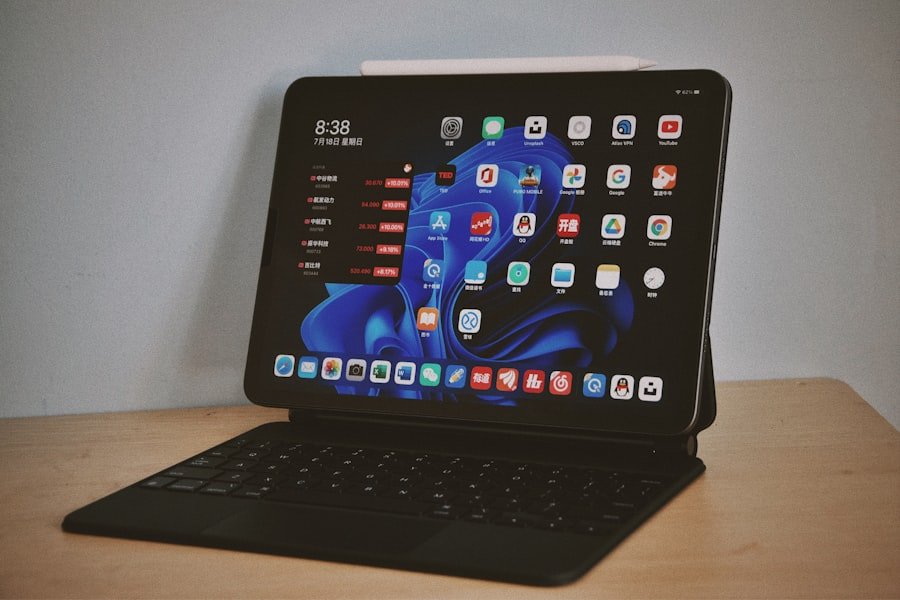
Investing in accessories can greatly enhance the functionality of budget tablets used for online classes. One of the most beneficial add-ons is an external keyboard; many students find that typing on a physical keyboard improves their efficiency when taking notes or completing assignments compared to using an on-screen keyboard alone. Styluses are another valuable accessory that can facilitate precise input on touchscreens, particularly useful for drawing diagrams or annotating documents directly on the tablet screen.
Many budget tablets support stylus input, allowing students to engage more interactively with their learning materials. Screen protectors are essential for maintaining the longevity of any tablet device; they help prevent scratches and damage from everyday use while ensuring that the display remains clear and functional over time. Additionally, investing in a sturdy case can provide protection against accidental drops or spills during transport between classes or study sessions.
For those who rely heavily on video conferencing tools during online classes, external webcams can enhance video quality significantly compared to built-in cameras on budget tablets. This improvement can lead to clearer communication during group discussions or presentations. Finally, portable chargers or power banks are practical accessories that ensure students can keep their devices charged throughout long study sessions or when attending back-to-back online classes without needing immediate access to an outlet.
Conclusion and Final Recommendations
In navigating the world of online education through budget tablets, students have access to various devices that cater to their academic needs without breaking the bank. By understanding the criteria for selecting these tablets—such as performance, display quality, battery life, storage capacity, and connectivity—students can make informed decisions tailored to their specific requirements. Among the top contenders discussed in this article—the Amazon Fire HD 10 stands out due to its affordability and robust features suitable for most educational tasks; however, options like the Samsung Galaxy Tab A7 Lite and Lenovo Tab M10 Plus also offer compelling alternatives depending on individual preferences regarding design and functionality.
Ultimately, maximizing the use of these devices involves not only selecting the right tablet but also employing effective strategies such as organizing resources efficiently and utilizing productivity apps tailored for academic success. By complementing their tablets with essential accessories like keyboards and styluses, students can create an optimal learning environment conducive to achieving their educational goals in an increasingly digital world.
FAQs
What features should I look for in a budget tablet for online classes?
When choosing a budget tablet for online classes, consider features such as a reliable processor, sufficient RAM (at least 2GB), a decent screen size (8 inches or larger), good battery life, front-facing camera quality, and compatibility with educational apps and video conferencing platforms.
Are budget tablets suitable for attending online classes?
Yes, many budget tablets are capable of handling online classes, including video calls, note-taking, and accessing educational content. However, performance may vary, so it’s important to select a model with adequate specifications to ensure smooth operation.
What is the average price range for budget tablets suitable for online learning?
Budget tablets for online classes typically range from $100 to $300, depending on brand, specifications, and features. Models within this range usually offer a good balance between affordability and functionality.
Can budget tablets run popular online learning apps?
Most budget tablets running Android or iOS can run popular online learning apps such as Zoom, Google Meet, Microsoft Teams, Khan Academy, and others. It’s advisable to check the app requirements and tablet compatibility before purchase.
How important is battery life in a tablet for online classes?
Battery life is very important since online classes can last several hours. A tablet with at least 6-8 hours of battery life is recommended to avoid frequent charging during study sessions.
Do budget tablets support external keyboards for easier typing?
Many budget tablets support Bluetooth or USB external keyboards, which can enhance typing comfort and productivity during online classes. Check the tablet’s connectivity options to ensure compatibility.
Is storage capacity a concern for budget tablets used in online learning?
Storage capacity matters if you plan to download many apps, videos, or documents. A minimum of 32GB internal storage is recommended, with the option to expand via microSD card if available.
Are budget tablets durable enough for students?
Durability varies by model. Some budget tablets come with sturdy builds or protective cases, but generally, budget tablets may be less rugged than premium models. Using a protective case can help extend the tablet’s lifespan.
Can budget tablets connect to Wi-Fi and other networks reliably?
Yes, most budget tablets support Wi-Fi connectivity suitable for online classes. Some models also offer cellular connectivity options, but Wi-Fi is typically sufficient for home or school use.
Should I consider a tablet with parental controls for younger students?
Yes, tablets with built-in parental controls or the ability to install third-party control apps can help manage screen time and restrict access to inappropriate content, making them suitable for younger students.
About the Author